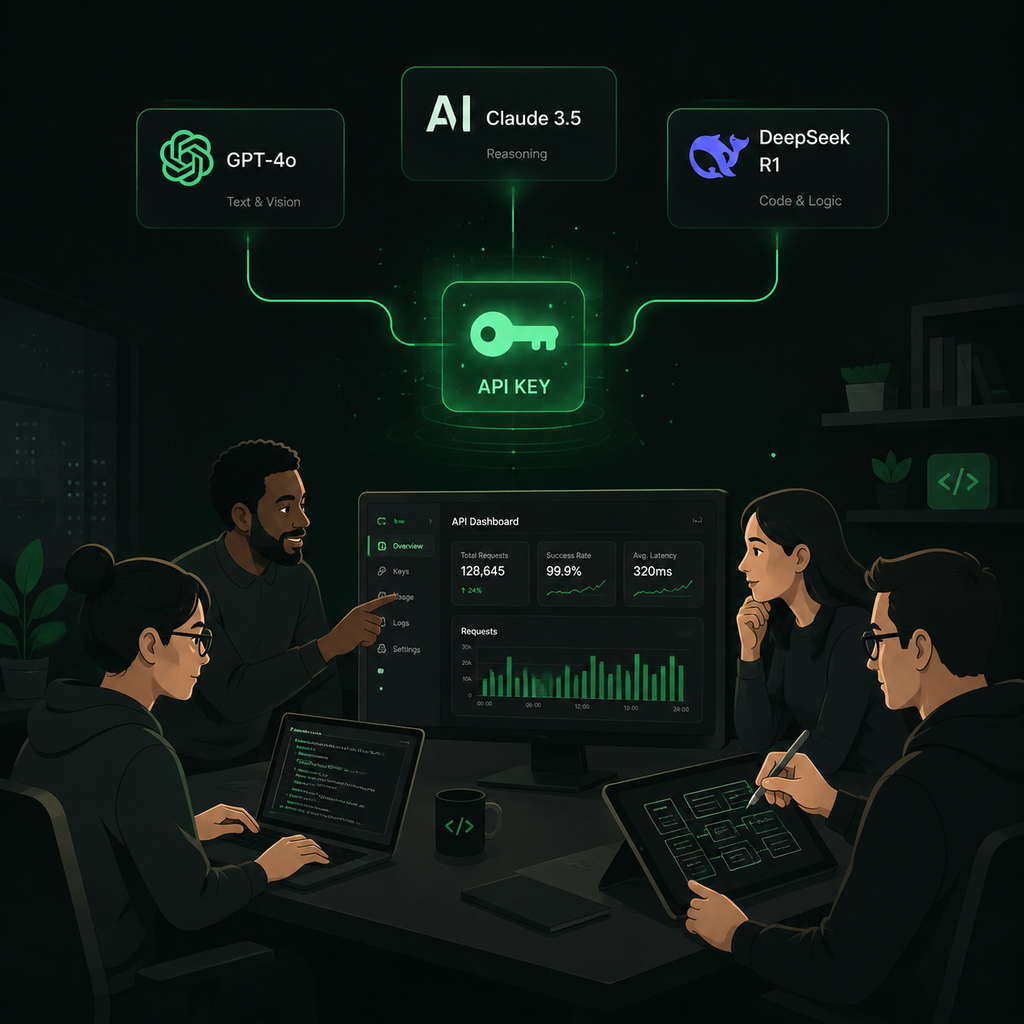
The OpenAI API gives developers access to GPT models, image understanding, code generation, and more.
A step-by-step guide to creating an OpenAI API key, setting up billing, choosing models, and understanding pricing. Plus cheaper alternatives for cost-conscious teams.
The OpenAI API gives developers access to GPT models, image understanding, code generation, and more.
The OpenAI API is a cloud-based service that lets developers integrate OpenAI's language models into their own applications. Instead of using ChatGPT through a browser, you send programmatic requests to OpenAI's servers and receive structured responses. The API powers everything from coding agents and chatbots to content generation tools, data analysis pipelines, and research applications.
OpenAI's API uses the OpenAI-compatible protocol, which has become the de facto standard in the AI ecosystem. Most third-party tools — Cline, Claude Code, OpenCode, Codex, and hundreds of other coding agents and automation platforms — support this protocol. That means once you have an API key that speaks the OpenAI format, you can use it across a wide range of tools without changing your integration.
The API supports text generation, image understanding, code generation, function calling, structured JSON outputs, embeddings for search and retrieval, audio transcription with Whisper, and image generation with DALL-E. The specific capabilities available depend on which model you select.
To get started, go to platform.openai.com and create an account. You can sign up with an email address, or use a Google, Microsoft, or Apple account for single sign-on.
If you already have a ChatGPT account, you can use the same credentials to sign in to the API platform. The ChatGPT account and the API platform share the same login, but they have separate billing. Your ChatGPT subscription (Plus, Pro, Team, or Enterprise) does not include API credits, and your API usage does not affect your ChatGPT plan.
After signing up, verify your email address. OpenAI may ask for a phone number for verification, especially for new accounts. This is a one-time step.
Once logged in, you need to find the API Keys page:
You can also go directly to platform.openai.com/api-keys to skip the menu navigation.
The API Keys page shows a list of all keys you have created, when they were last used, and when they were created. If this is your first time, the list will be empty.
Click the Create new secret key button. You will see a dialog box with the following options:
Click Create secret key. OpenAI will display the full key exactly once. Copy it immediately and store it in a secure location — a password manager, environment variable, or secrets vault. After you close the dialog, you will never see the full key again. You can only see a masked version (like sk-proj-...xxxx).
If you lose the key, you will need to delete it and create a new one. There is no way to recover a lost secret key.
Before you can make API calls, you need to add a payment method. Go to Settings → Billing and add a credit or debit card. OpenAI uses postpaid billing: you use the API throughout the month and pay for whatever you consumed when the billing cycle ends.
New accounts may receive a small amount of free credit (typically $5 or $18 depending on the promotion period). This credit is applied to your first API calls and does not require a payment method. Once the free credit runs out, you will need to add a card to continue.
You can set a usage limit (also called a hard limit) to prevent unexpected charges. This is recommended for all accounts, especially during initial testing. If your usage reaches the limit, API calls will be rejected until you raise the limit or the next billing cycle begins.
OpenAI also offers auto-recharge: when your balance drops below a threshold, it automatically tops up your account. This is optional but useful for production workloads where interruptions would be costly.
The fastest way to test your key is with a simple curl command. Open a terminal and run:
curl https://api.openai.com/v1/chat/completions \
  -H "Content-Type: application/json" \
  -H "Authorization: Bearer YOUR_API_KEY" \
  -d '{
    "model": "gpt-4o-mini",
    "messages": [{"role": "user", "content": "Hello, world!"}]
  }'
Replace YOUR_API_KEY with the key you just created. If everything is configured correctly, you will receive a JSON response with the model's reply.
For Python developers, install the OpenAI package and use the official SDK:
pip install openaifrom openai import OpenAI
client = OpenAI(api_key="YOUR_API_KEY")
response = client.chat.completions.create(
model="gpt-4o-mini",
messages=[{"role": "user", "content": "Hello, world!"}]
)
print(response.choices[0].message.content)For Node.js or JavaScript, the pattern is similar: install the openai package, initialize the client with your API key, and call the chat completions endpoint.
OpenAI charges per token. A token is roughly 4 characters of English text, or about three-quarters of a word. Pricing varies by model, and each model charges different rates for input tokens (what you send) and output tokens (what the model generates).
| Model | Input (per 1M tokens) | Output (per 1M tokens) | Context Window |
|---|---|---|---|
| GPT-6 Astra | $10.00 | $50.00 | 1,050,000 |
| GPT-5.6 Sol | $5.00 | $30.00 | 1,050,000 |
| GPT-5.5 | $5.00 | $30.00 | 256,000 |
| GPT-5.4 | $2.50 | $15.00 | 1,050,000 |
| GPT-5.4 Mini | $0.75 | $4.50 | 128,000 |
| GPT-5.3 Codex Spark | $1.75 | $14.00 | 128,000 |
Source: OpenAI official pricing as of September 2026.
Prompt caching can significantly reduce input costs. When you send the same prefix across multiple requests, OpenAI caches the processed tokens and charges only 10% of the standard input rate for cache hits. For long system prompts or repeated context, this can cut costs by 50-90%.
OpenAI offers several model families, each optimized for different use cases. Choosing the right model for your workload is the single most impactful cost decision you can make.
GPT-6 Astra is the most capable model, with a 1.05M token context window and the strongest reasoning. Use it for complex multi-step tasks, large-codebase analysis, and workloads that genuinely need frontier intelligence. At $10/$50 per MTok, it is the most expensive option.
GPT-5.6 Sol offers strong reasoning for coding and agent workflows at $5/$30 per MTok — half the price of Astra for most tasks. For coding agents, Sol provides the best balance of quality and cost.
GPT-5.4 is the best general-purpose value at $2.50/$15 per MTok with a 1M context window. It handles most production workloads well and is the recommended starting point for new projects.
GPT-5.4 Mini is the budget option at $0.75/$4.50 per MTok. It works well for high-volume tasks where speed and cost matter more than peak reasoning — simple completions, classification, formatting, and boilerplate generation.
GPT-5.3 Codex Spark is optimized for code generation at $1.75/$14 per MTok. If your primary use case is coding assistance, this model delivers strong results at a lower cost than Sol.
The practical approach is to use model routing: route simple tasks to Mini, standard work to GPT-5.4, and reserve Sol or Astra for complex reasoning. This blending strategy can reduce your average cost per request by 60-80% compared to using the most powerful model for everything.
The OpenAI API and ChatGPT are built on the same underlying models, but they serve different purposes and have different cost structures.
ChatGPT is a consumer application. You pay a monthly subscription ($20/month for Plus, $200/month for Pro) and get a fixed set of features: web browsing, file uploads, image generation, memory, and access to the latest models through a chat interface. You cannot customize the behavior, integrate it into your own tools, or control the exact model and parameters used for each request.
The OpenAI API gives you programmatic access to the same models with full control. You choose the model, set the temperature, define system prompts, control output format, and integrate the model into your own applications. You pay per token rather than a flat subscription, which can be cheaper or more expensive depending on your usage volume.
For developers building products, the API is the only practical option. ChatGPT is designed for interactive conversations; the API is designed for automation, integration, and scale.
Not setting a usage limit. Without a hard limit, a runaway script or unexpected workload spike can generate a large bill. Always set a spending cap when you first create your account.
Using the most expensive model for everything. GPT-6 Astra at $50/MTok output is overkill for simple classification tasks. Start with GPT-5.4 Mini for testing, and upgrade only when the task genuinely requires stronger reasoning.
Ignoring prompt caching. If your application sends the same system prompt across requests, you are paying full price for repeated input. Enable prompt caching by keeping your prompt prefix consistent — the same first 1024+ tokens across requests will be cached automatically.
Storing the API key in source code. Never commit your API key to a git repository or embed it directly in client-side code. Use environment variables or a secrets manager. If a key is exposed, delete it immediately from the OpenAI dashboard and create a new one.
Not monitoring usage. The OpenAI dashboard shows usage by model, but it updates with a delay. For real-time visibility, log each request's token count in your application and monitor it against your budget.
Coding agents like Codex, Claude Code, Cline, OpenCode, and others all support the OpenAI-compatible API protocol. To connect any of these tools, you need two things: the base URL and your API key.
For direct OpenAI access, the base URL is https://api.openai.com/v1. Enter your API key, select a model (like gpt-5.4 or gpt-5.6-sol), and the tool will start making API calls.
Coding agents consume tokens at a high rate because they operate in an interactive loop — planning, editing, testing, and iterating. A 30-minute coding session on a premium model can consume millions of tokens. This is where cost control becomes critical, and where many developers look for alternatives to direct OpenAI billing.
If you are looking for a more cost-controlled way to access OpenAI models, APItokendeal offers an alternative that many developers and teams prefer.
APItokendeal provides OpenAI-compatible API access to 30+ models — including GPT, Claude, DeepSeek, Gemini, Kimi, and Qwen — through a single API key. The key difference from direct OpenAI billing is the pricing model: APItokendeal uses prepaid token packs instead of postpaid billing, which means you decide your budget upfront and never receive a surprise invoice.
| Feature | OpenAI Direct | APItokendeal |
|---|---|---|
| Billing model | Postpaid (pay after) | Prepaid (pay before) |
| Cost ceiling | Manual limit | Hard ceiling (prepaid balance) |
| Model families | OpenAI only | OpenAI, Claude, DeepSeek, Gemini, Kimi, Qwen + more |
| Dashboard | OpenAI dashboard | Unified dashboard for all models |
| Cost vs official pricing | Full price | Up to 70% off with token packs |
| Setup time | 5-10 minutes | 5 minutes |
| Payment methods | Credit card | Credit card (Stripe) or USDT |
https://api.apitokendeal.com/v1 and enter your API key| Pack | Tokens | Price | Savings |
|---|---|---|---|
| Free | 2.5M | $0 | — |
| Explorer | 10M | $9.99 | 50% off |
| Starter | 25M | $24.99 | 50% off |
| Pro | 100M | $59.99 | 70% off |
Savings compared to official per-token rates. Token packs have no expiry for paid users. Free tokens expire after 30 days.
Cost predictability. With direct OpenAI billing, your monthly cost depends on usage, which can vary wildly — especially with coding agents that consume tokens in unpredictable bursts. APItokendeal's prepaid model eliminates this risk: you buy a fixed balance, spend against it, and top up when needed. Your maximum monthly spend is known at the time of purchase.
Model flexibility. One APItokendeal key works across GPT, Claude, DeepSeek, Gemini, Kimi, and Qwen models. You can use Claude Sonnet 5 for complex reasoning, GPT-5.4 Mini for routine tasks, and DeepSeek V4 Flash for experimentation — all from the same dashboard, all visible in one place. With direct provider billing, each model family requires a separate account and separate billing.
Multi-model access without multiple accounts. If you want to compare GPT-5.6 Sol against Claude Sonnet 5 for your coding workflow, you can do that through a single APItokendeal account without signing up for both OpenAI and Anthropic separately.
Regardless of whether you use OpenAI directly or through a third-party provider, follow these security practices:
.env file (added to .gitignore), or a secrets manager like AWS Secrets Manager or HashiCorp Vault.The API key itself is free. You pay for the tokens you consume when making API calls. The cost depends on which model you use and how many tokens you process. GPT-5.4 Mini costs $0.75/$4.50 per million tokens, while GPT-6 Astra costs $10/$50 per million tokens.
No. ChatGPT subscriptions (Plus, Pro, Team) are separate from API access. You need to add a payment method under the API platform's billing settings to use the API, regardless of your ChatGPT subscription level.
They are the same thing. OpenAI calls it a "secret key" in their interface, but it functions as an API key. The term "secret" emphasizes that you should treat it like a password and never share it publicly.
Use model routing (cheaper models for simple tasks, premium models for complex ones), enable prompt caching for repeated context, keep prompts concise, set usage limits, and consider prepaid alternatives like APItokendeal that offer up to 70% off official pricing.
New accounts may receive a small amount of free credit (typically $5-$18). After that, you need to add a payment method. APItokendeal also offers 2.5M free tokens for new accounts to test supported models.
For coding agents and code generation, GPT-5.3 Codex Spark ($1.75/$14) is optimized for code. GPT-5.6 Sol ($5/$30) is better for complex architectural decisions and multi-step reasoning. GPT-5.4 Mini ($0.75/$4.50) works well for simple completions and boilerplate.
Get your API key instantly. Start with 2.5M free tokens, then choose a token pack when you are ready for production.